Get deals & exclusive offers directly in your inbox.
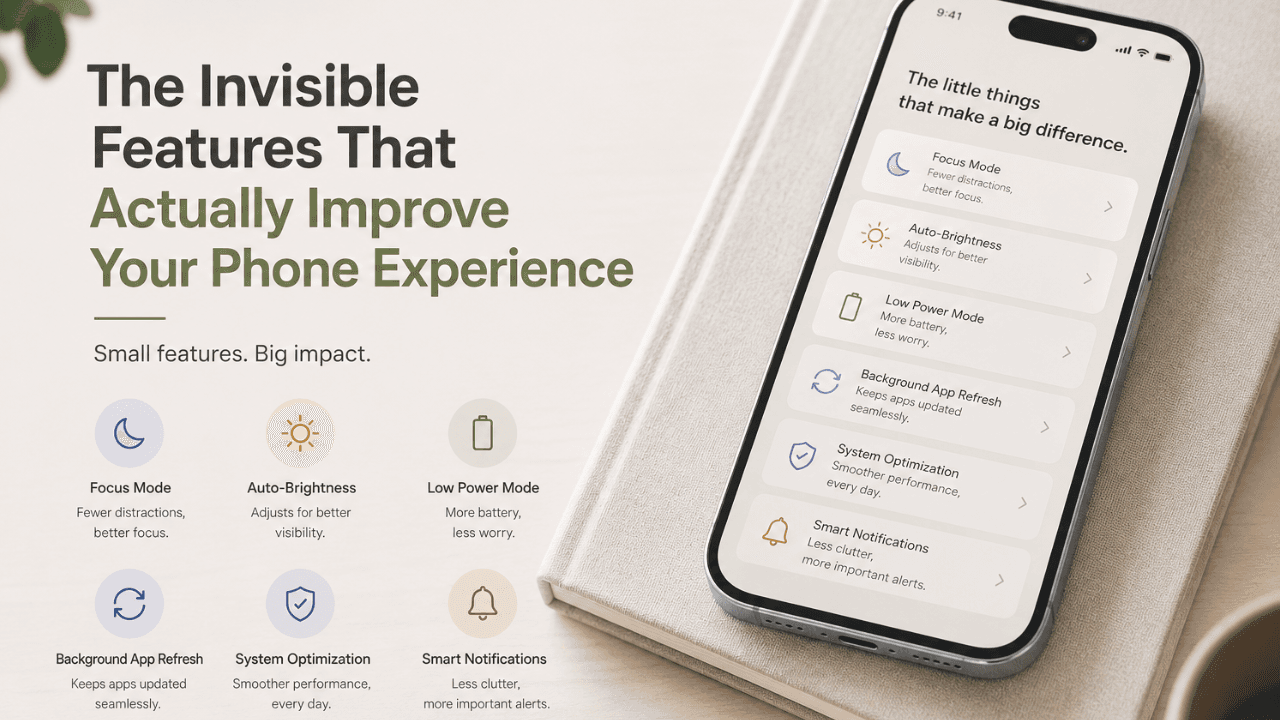
Table of Contents
Dhruv stared at his phone in frustration at 8:47 am. A "9 am meeting" notification had just landed, and his battery was already at 35%, the screen sluggish.
Across the office, his colleague Priya had the same phone — same model, same month. Hers was fast, smooth, and charged. "How is your phone so fast?" he asked. She shrugged. "Honestly? No idea." Dhruv’s phone wasn't broken. The difference was invisible.
Most people upgrade for the camera or the new chip. But the features that actually shape your daily phone experience never make headlines. They run silently in the background and decide whether your battery will last or not.
Knowing how they work helps you get more from the phone already in your pocket — and explains why two identical phones can feel completely different.
Every app you open wants to stay active – fetch updates, check servers, and refresh feeds. This is called background app refresh, and it quietly drains your battery while your phone sits idle, reducing overall performance optimisation in the process.
An iPhone lets you individually turn off apps running in the background that are not in use. On the other hand, Android handles it automatically via Doze mode, which slows down apps you haven't used recently to improve battery life and performance optimisation. The clever part: your phone learns from your habits. It knows which apps you open first thing — and quietly warms them up before you tap. The solution is to turn off background refresh for apps you rarely open. In turn, the phone’s battery will last longer, giving you a better phone experience.
Google introduced Adaptive Battery with Android 9. It is a big deal — even if no one talks about it much. Instead of treating all apps the same, it learns which apps you use most. Then the adaptive function saves battery for frequently used apps and limits power to the rarely opened ones.
Similarly, Apple offers 'Optimised Battery Charging'. For example, your iPhone watches when you charge it each night. If you always plug in at 11 PM and wake up at 7 AM, it holds 80% until just before your alarm rings. This puts less stress on the battery and helps it last longer.
Both systems share the same idea: your phone should learn from you — not the other way around.
RAM management is one of the most misunderstood parts of your phone experience. Many people download RAM cleaner apps, thinking they will speed things up. In most cases, they do the opposite.
Your phone deliberately keeps apps in memory for faster access rather than launching them from scratch each time. When space runs low, your phone silently clears out apps you haven't opened recently, all without any interruption or notification.
This is performance optimisation at its best. The system knows when to act — and when to leave things alone. That balance is what keeps your phone experience smooth.
Here are some features provided by Android and iOS to enhance your experience on your device. The list below compares how each component works in its respective devices.
|
Features |
Android |
iOS |
|
Background App Management |
Doze Mode + App Standby Buckets. |
Background App Refresh (manual toggle). |
|
Adaptive Battery |
Google Adaptive Battery (ML-based). |
Optimised Battery Charging. |
|
RAM Strategy |
Aggressive caching: user apps are preserved. |
Tight memory management, system-first. |
|
Network Switching |
Wi-Fi Assistant, Smart Network Switch. |
Wi-Fi Assist (auto cellular fallback). |
|
Display Optimisation |
Adaptive refresh rate (1–120 Hz on flagships). |
Wi-Fi Assist (auto cellular fallback). |
|
On-Device AI |
Google Tensor / Gemini Nano integration. |
Apple Neural Engine (ANE). |
|
Update Delivery |
Varies by manufacturer; can be slow. |
Consistent OTA directly from Apple. |
That small buzz when you press and hold an app icon is not just for show. It is a smart design choice. Haptic feedback gives your touch a physical response. Apple's Taptic engine makes different vibrations for different actions — a firm tap for an alert, a soft pulse for a notification, and a small click when you scroll.
Why does this matter for your phone experience? It saves mental energy. When you feel a response, your brain confirms the action faster than if you just saw it on screen. You stop wondering if something worked. You already feel that it did.
Your keyboard knows you better than you realise. Your phone memorises your communication style for every word you type and every correction you keep.
This learning stays on your device. Apple and Google do not send your typing to their servers. It all happens locally. So the longer you use your phone, the better it gets at predicting what you want to communicate.
This is quite a performance optimisation. Your keyboard does not feel the same after a year of use – it feels personal.
True Tone on iPhone and Adaptive Display on some Android phones do more than adjust brightness. They also change the colour of the screen based on the light around you. In warm light, the screen goes a little warm. In cool light, it shifts to a cooler tone.
The goal is simple: the screen should look natural — not like a glowing box in your face.
The performance optimisation allows reading without feeling tired. It works by minimising harsh light, flickering and visual fatigue, and you probably never notice the screen changing at all.
To conclude, the best features on your phone are the ones you never see. From predictive text to background app refresh to adaptive battery, they run all day quietly. Understands your needs to protect your battery, manage memory, and keep every interaction smooth.
Whether you're on Android or iOS, these invisible tools constantly work to improve your experience. You don't need to be a tech expert to understand these features. You just need to know they exist because that awareness alone will help you use your phone smartly. Choose your next upgrade with confidence and get more out of the device already in your hand.